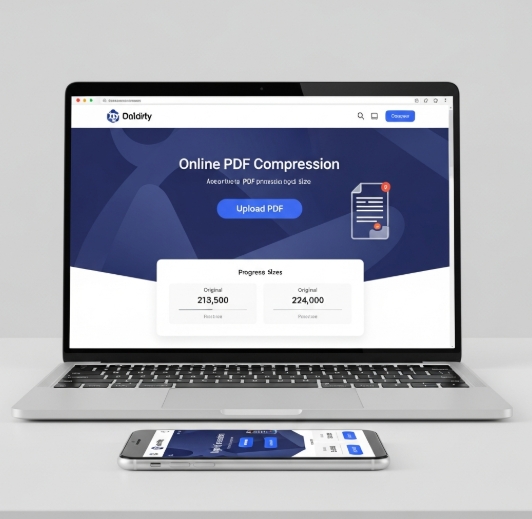

Quickly reduce PDF file sizes without compromising quality for easy sharing.
Dealing with large PDF files can be a hassle, especially when you need to email them or upload them to cloud storage. Large documents take longer to send, consume more bandwidth, and can quickly fill up your storage space. Fortunately, there are efficient ways to compress PDF files online, making them manageable for everyday use. This guide will walk you through the benefits and simple steps to shrink your PDF documents quickly.
When your PDF files become excessively large, it’s often due to embedded high-resolution images, complex formatting, or embedded fonts. While these elements contribute to the document’s appearance, they significantly increase its overall size. The ability to compress PDF files online means you can optimize these documents, often by re-encoding images at a slightly lower resolution or removing redundant data, all without noticeable degradation in visual quality or readability. This process is invaluable for home users, students, and small businesses alike.
Why You Need to Compress PDF Files
Large PDF files present several common problems. Sending them via email might hit attachment size limits, or the transfer could be slow and prone to errors. Storing many large files can quickly exhaust cloud storage quotas or local hard drive space. Furthermore, web pages or online forms that require PDF uploads often have strict file size restrictions. Compressing PDF files online addresses these issues directly, ensuring your documents are always ready for their intended purpose.
The convenience of online tools means you don’t need to install any special software. You can access these services from any device with an internet connection. This flexibility is crucial for users who switch between computers or work on the go. It’s a straightforward solution for optimizing documents for sharing, archiving, or quick submission.
How to Compress PDF Files Online
The process to compress PDF files online is designed to be intuitive. Most services follow a similar, user-friendly workflow. You typically start by visiting the website of an online PDF compression tool. Then, you’ll upload the PDF file you wish to reduce. The service then processes the file, applying its compression algorithms, and finally, provides you with a smaller version to download.
Many platforms offer different compression levels, allowing you to choose between maximum compression (which might slightly reduce quality) and a balance between size and quality. Look for tools that clearly indicate what kind of compression they apply, such as image optimization, font subsetting, or object removal. This allows you to tailor the compression to your specific needs, ensuring your documents remain professional and easy to read.
Choosing the Right Online PDF Compressor
With numerous services available, selecting the best online tool to compress PDF files online can seem daunting. Consider factors like ease of use, the quality of compression offered, and any privacy policies the service has in place. Reputable services usually encrypt your files during upload and processing, and delete them after a short period.
Some popular and reliable online PDF compressors include services known for their speed and effectiveness. Look for features like batch compression if you need to process multiple files at once. Ensure the tool supports the file types you might need to convert or compress, though most are primarily focused on PDFs. A good compressor should offer a noticeable reduction in file size with minimal impact on visual fidelity, making the compress PDF files online process efficient and effective.
Understanding Compression Levels and Quality
When you compress PDF files online, you often encounter options for compression intensity. These typically range from basic to extreme. Basic compression might make minor adjustments, suitable for documents where preserving the absolute highest quality is paramount. Extreme compression will aggressively reduce file size, which is ideal when attachment limits or storage space are critical concerns, but may subtly affect image clarity.
It’s advisable to experiment with different levels on a sample document to see what works best for you. For text-heavy documents with few images, the size reduction might be less dramatic but still beneficial. For PDFs packed with high-resolution photographs, the savings can be substantial. Always download and preview the compressed file to ensure it meets your standards for readability and appearance.
Compress PDF Files Online: Step-by-Step Guide
Here’s a general step-by-step process for using most online PDF compression tools:
- Visit the Website: Open your web browser and navigate to a trusted online PDF compressor service.
- Upload Your PDF: Click the upload button (often labeled “Upload File,” “Select PDF,” or similar) and choose the PDF document from your computer or device. Some services allow drag-and-drop functionality.
- Select Compression Option: If prompted, choose your desired compression level (e.g., “Low,” “Medium,” “High,” or “Basic,” “Strong”). If no option is given, the tool will use its default settings.
- Start Compression: Click the “Compress,” “Start,” or “Convert” button. The website will process your file. This may take a few seconds to a few minutes depending on the file size and your internet connection speed.
- Download the Compressed File: Once processing is complete, a download link for your smaller PDF will appear. Click it to save the optimized file to your computer. You can then share or store it as needed.
By following these steps, you can easily compress PDF files online and manage your documents more effectively.
Security and Privacy When Compressing PDFs Online
When using any online service, especially for document processing, security and privacy are crucial considerations. Reputable online PDF tools employ robust security measures to protect your data. Look for websites that use HTTPS to ensure your connection is encrypted. Many services also state that they do not store your files permanently and automatically delete them from their servers after a specified period, often 24 hours or less.
Always read the privacy policy of the service you are using. Understand how your files are handled, stored, and deleted. If you are compressing highly sensitive or confidential documents, you might prefer to use desktop software that offers offline compression, although online tools are generally very secure for most common use cases. This ensures that when you compress PDF files online, your information remains protected.
Common Questions About Compress PDF Files Online
How much can a PDF file be compressed?
The amount of compression varies greatly depending on the original content, but you can often reduce file sizes by 50% or more, especially if the PDF contains high-resolution images.
Will compressing a PDF affect its quality?
Slight quality reduction is possible, particularly with very high compression settings that re-encode images. Most users find the visual difference negligible for everyday use.
Is it safe to compress PDF files online?
Yes, most reputable online PDF compressors use secure, encrypted connections and delete files after processing, making them safe for common documents.
Can I compress multiple PDFs at once?
Many online tools offer batch compression, allowing you to upload and compress several PDF files simultaneously, saving you significant time.
What if the compressed PDF is still too large?
If the file remains too big, try a different online tool that offers a higher compression setting, or consider re-saving images within the PDF at a lower resolution before compressing.
Using online tools to compress PDF files online is a fast and effective way to manage your digital documents. By understanding the process and choosing reliable services, you can significantly reduce file sizes without sacrificing readability or quality. This makes sharing, storing, and uploading your PDFs much simpler and more efficient, freeing up valuable space and time.